As an Amazon Associate, we earn from qualifying purchases. Some links may be affiliate links at no extra cost to you. Although our opinions are based on curated research, we haven't used these products. Articles generated with AI.

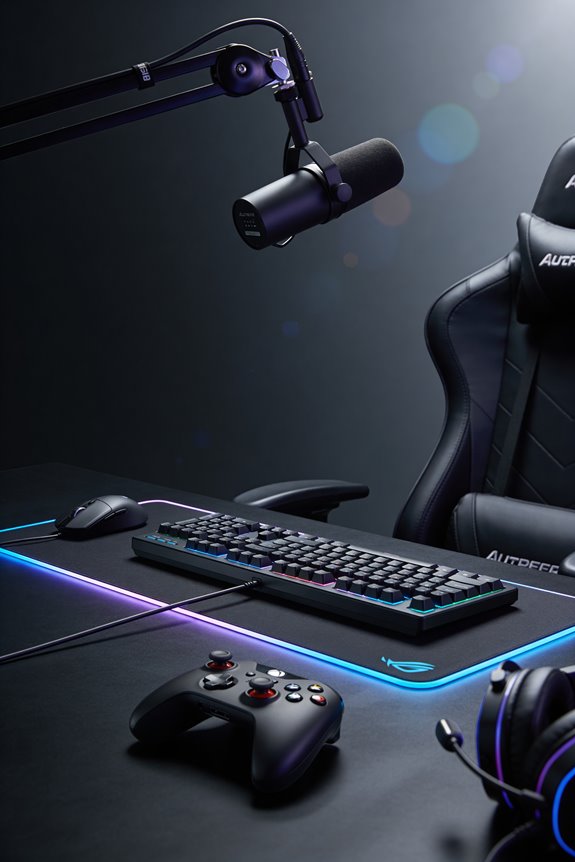
How RGB Ecosystem Sync Works Across Multiple Gaming Peripherals

Most gaming brands lock RGB on a mechanical keyboard to proprietary software—that’s vendor lock-in! I’ll let you in on a secret: your ARGB and RGB devices speak different languages at different voltages, so mixing them requires separate controllers or adapters. Here’s the good news: free tools like OpenRGB and SignalRGB bypass brand restrictions and sync everything together—including a matching wireless mouse! Microsoft’s Dynamic Lighting is coming too, promising universal compatibility across devices. Stick around as we break down each setup strategy!
Key Takeaways
- Native brand software (ASUS Aura, MSI Mystic Light) syncs peripherals within single ecosystems but restricts cross-brand compatibility through proprietary protocols.
- 5V ARGB and 12V RGB use incompatible voltages and digital protocols; mixing them requires separate controllers or hardware adapters.
- Third-party tools like OpenRGB and SignalRGB bypass vendor restrictions to unify RGB control across multiple brands in one interface.
- Microsoft Dynamic Lighting standardizes RGB communication via HID LampArray protocol, enabling seamless multi-brand syncing across partnered manufacturers.
- Configure mixed-brand setups by installing universal software, detecting devices automatically, and importing profiles from native apps for consolidated control.
What RGB Types Sync Together?
When you’re syncing RGB across your whole setup, here’s the thing—not all RGB types play nicely together! I’m talking about ARGB devices, which use addressable LEDs that you can control individually for crazy effects like waves and gradients. Then there’s Analog RGB, the older 12V stuff that just changes one solid color. Static RGB? That’s even simpler—it’s basically stuck on whatever color you picked. Here’s my advice: mixing ARGB devices works great since they speak the same digital language. But throw Analog RGB or Static RGB into that chain? You’ll break everything! The voltage differences and protocols don’t match up. Stick with one type per zone, and you’ll avoid major headaches!
Why Brand Software Blocks Multi-Brand Syncing
As soon as you realize manufacturers want you trapped in their ecosystem, the whole multi-brand syncing puzzle makes sense! See, each company builds proprietary software—like ASUS Aura Sync or MSI Mystic Light—that only plays nicely with their own gear. It’s vendor lock-in at its finest! They’re protecting competitive differentiation, meaning they want you buying more of their stuff, not mixing brands freely.
Let me be honest: these companies aren’t intentionally blocking other brands out of spite. They’re designing closed systems to keep you loyal. When you’re invested in one brand’s software ecosystem, switching feels like a hassle. That’s the genius—and frustration—of their strategy! Your RGB dreams require workarounds through third-party tools like OpenRGB or SignalRGB to break free from single-brand control.
ARGB vs. RGB: Why Protocol Conflicts Break Chains

They’re fundamentally incompatible, and I’ll show you why! Here’s the thing: 5V ARGB and 12V RGB speak totally different languages. ARGB uses digital signals to control each LED individually—super cool, right? But 12V RGB just sends basic color commands to all LEDs at once. That voltage mismatch alone breaks everything. When you chain them together, you’re basically trying to plug two different puzzle pieces into the same slot. The protocol translation never happens automatically because manufacturers didn’t design them to work together. Your controller can’t convert between these systems without special hardware. So if you’ve got mixed RGB types, you’ll need separate control chains or invest in adapters. Frustrating, I know! Stick with matching types for smooth syncing.
Best Multi-Brand RGB Sync Tools Compared
So you’ve got RGB gear from different brands sitting on your desk, and they’re basically ignoring each other—pretty annoying! Here’s the fix: third-party tools like SignalRGB and OpenRGB let everything sync together without conflicts.
SignalRGB features cloud-based profiles and works across tons of brands, making setup super smooth. I love that it handles both 5V ARGB and 12V RGB without breaking a sweat.
OpenRGB comparison shows it’s free and open-source, perfect if you’re budget-conscious. Both tools skip the vendor software mess entirely.
These solutions let me ditch juggling multiple apps. You’ll get unified control, cleaner lighting effects, and honestly? Way less headache managing your whole RGB setup!
Microsoft Dynamic Lighting: The Future of Universal Sync
While third-party tools like SignalRGB and OpenRGB solve today’s RGB chaos, Microsoft’s Dynamic Lighting represents the future—a built-in Windows 11 standard that’ll eventually make all that vendor software unnecessary! I’m talking about an open-source system using HID LampArray, which basically means devices talk the same language without proprietary apps fighting each other.
Let me break it down: Microsoft’s partnering with ASUS ROG, Logitech, Acer, Razer, and SteelSeries. These cross-platform APIs let your keyboard, mouse, and headset sync seamlessly through one control panel. You’ll manage everything from Windows settings instead of juggling five different apps!
Future adoption’s ramping up, though widespread availability’s still years away. But honestly? This is gaming’s RGB endgame. One standard. Zero conflicts. Pure simplicity.
Install and Configure Multi-Brand RGB Tools
Before Microsoft’s universal standard arrives, let’s open your RGB chaos with multi-brand tools that actually work together! I recommend starting with OpenRGB or SignalRGB—they handle driver installation automatically, detecting your gear without fuss. Download the app, run it, and watch it find everything connected to your PC. Next comes the fun part: profile migration. Export your existing lighting setups from ASUS Aura or MSI Mystic Light, then import them into your chosen universal tool. You’ll sync CORSAIR fans, GIGABYTE motherboards, and RAZER keyboards in one dashboard! Start simple with basic colors, then layer effects once you’re comfortable. Trust me, managing one app beats juggling five!
Trigger Lights From In-Game Events
Now that your RGB gear’s talking to each other, let’s make it actually *react* to what’s happening on your screen! Game triggered lighting transforms your setup into a dynamic experience. Imagine your fans flashing red during intense combat or your keyboard lighting up when you’re low on health. Tools like MSI Mystic Light let you program these awesome moments—think ability highlights that glow when you cast spells. Audio reactive features sync your lights to in-game sound effects, creating immersive vibes. You’ll configure trigger conditions through your software, linking specific game events to lighting changes. It’s like your gear’s playing the game alongside you, responding instantly to every explosion, victory, or near-death moment!
Native vs. Universal Tools: Choose Your Strategy
Once you’ve got your RGB gear syncing and reacting to games, you’ll face a big choice: stick with your motherboard or GPU maker’s native software, or go with a universal tool that handles everything?
Native tools like ASUS Aura Sync work great if you’re all-in on one brand. They’re optimized, reliable, and built specifically for your hardware. But here’s the catch: they only control their own stuff!
Universal tools like OpenRGB and SignalRGB? They’re the Swiss Army knives of RGB. I love them because they handle mixed-brand setups without drama. You’ll ditch juggling five different apps and control everything from one dashboard instead. Perfect if you’ve got Corsair fans, ASUS motherboard, and Razer peripherals!
Frequently Asked Questions
Can I Daisy-Chain 5V ARGB Fans With 12V RGB Case Lighting Without Hardware Adapters?
No, you can’t daisy-chain them. I’d face a voltage mismatch—5V ARGB versus 12V RGB—and signal incompatibility between digital and analog protocols. You’ll need separate controllers or hardware adapters to make them work together.
Does Running Multiple Vendor RGB Apps Simultaneously Cause Performance Issues or System Conflicts?
Yes, you’ll likely experience conflicts. Imagine running Corsair iCUE alongside MSI Mystic Light—they’ll battle for hardware control. Multiple vendor apps create background services and resource contention, slowing your system.
Which Third-Party RGB Tool Works Best With Older Motherboards Lacking Native Sync Headers?
I’d recommend OpenRGB for your older motherboard—it’s open source middleware that doesn’t require native sync headers. You can often enable RGB control through firmware flashing, giving you unified lighting without manufacturer support.
How Do I Sync Room-Scale Smart Lights Like Nanoleaf With My PC Gaming Rig?
You’ll absolutely obliterate your setup’s visual potential by leveraging Atmosphere Connect, which maps your game screen’s colors directly onto Nanoleaf panels. I’d pair this with latency mitigation strategies and ambient mapping to sync everything flawlessly.
Will Microsoft Dynamic Lighting Replace Vendor Software, or Do I Need Both Installed?
You’ll need both installed. Microsoft Dynamic Lighting acts as a compatibility layer over vendor software, not replacing it. I’d recommend keeping your manufacturer’s app—it’s your backup for features Microsoft Dynamics doesn’t yet support.