As an Amazon Associate, we earn from qualifying purchases. Some links may be affiliate links at no extra cost to you. Although our opinions are based on curated research, we haven't used these products. Articles generated with AI.


Why Wrist Position During Gaming Matters More Than Most Gamers Think

Your wrist position during gaming matters because extended wrists compress nerves and inflame tendons silently—you won’t notice until pain forces you to quit! I’m talking about carpal tunnel pressure building up from tall mice forcing your wrist upward. A neutral, straight wrist position keeps blood flowing and tendons happy. Switch to a mid-height mouse, keep your elbow bent just over 90 degrees, and take five-minute breaks hourly. Small changes now prevent injuries that could bench you completely—and there’s plenty more to discover about protecting your hands!
Key Takeaways
- Wrist extension beyond 45 degrees increases carpal tunnel pressure, causing tingling, numbness, and long-term nerve damage.
- Mouse design directly influences wrist angles; tall designs force extension while mid-height designs maintain neutral positioning.
- Neutral wrist alignment protects tendons from stress, prevents muscle shortening, and delays fatigue during extended gaming.
- Improper wrist position reduces grip strength and causes inflammation that often goes unnoticed until severe.
- Proactive posture correction and microbreaks prevent injuries that could force complete breaks from gaming entirely.
Why Wrist Extension Causes Gaming Injuries
Let me show you what’s actually happening when your wrist bends backward during gaming sessions. When you extend your wrist beyond 45 degrees, you’re cranking up pressure inside your carpal tunnel—that narrow passageway in your wrist where nerves travel. This compression squeezes your nerves, causing tingling and numbness over time. Even worse, constant backward bending triggers tendon inflammation. Your tendons are like tiny cables controlling your fingers, and repetitive extension makes them angry and irritated. I’m talking swelling, pain, and reduced grip strength creeping in gradually. The scary part? You might not notice damage until it’s already become a real problem! Your wrist’s neutral position—slightly bent downward—keeps everything happy and healthy. Let’s protect those wrists!
How Mouse Design Shapes Your Wrist Position
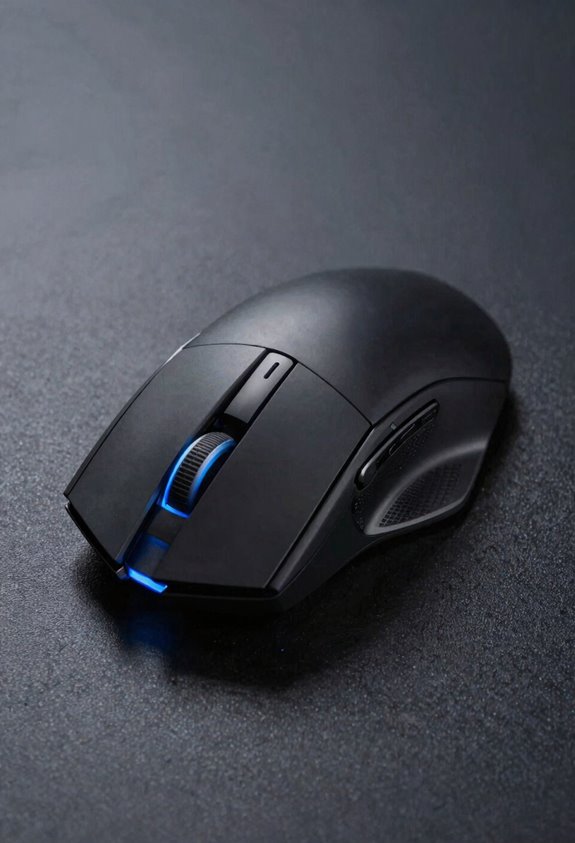
Your mouse shape is basically the architect of your wrist’s destiny! Here’s the thing—different mouse curvatures directly influence how your wrist angles during gameplay. A tall mouse forces your wrist into extension, which we’ve learned causes serious problems. Meanwhile, mid-height designs like the FK1 keep your wrist in a more neutral position, reducing fatigue markedly.
Weight distribution matters too! Heavier mice demand more muscle effort, especially when you’re constantly picking them up and repositioning. That extra strain accumulates fast. Lighter mice with better weight distribution let your forearm work less hard overall.
The bottom line? Your mouse isn’t just a tool—it’s actively shaping your wrist’s health. Choose wisely, and your wrists will thank you!
The Neutral Wrist Position That Stops Injury

One simple position can be the difference between pain-free gaming and a trip to the doctor’s office. Let me show you the magic: keep your wrist in neutral alignment, meaning it’s straight—not bent up, down, or twisted! This neutral position protects your tendons from unnecessary stress and strain.
Here’s how I set mine up. My elbow bends over 90 degrees, and my wrist stays below my elbow level. This keeps blood flowing smoothly and prevents those annoying aches. When your wrist extends beyond 30 degrees, pressure builds inside your carpal tunnel. Yikes!
I’ve discovered that starting with neutral alignment prevents muscle shortening and early fatigue. Your tendons stay happy when they’re not stretched weird. Try it—you’ll feel the difference immediately!
Exercises That Actually Prevent Wrist Pain

Strengthening your wrist and forearm is like building a shield against pain and injury. I’m talking about exercises that actually work! Let’s start with wrist mobility moves—gentle circles and stretches keep everything loose and happy. Then, grip strength exercises are your secret weapon. Grab a stress ball or resistance band and squeeze! Do this three times weekly, and you’ll notice the difference fast. Wrist curls work too; hold light weights and slowly bend your wrists up and down. Forearm stretches complete the trio—extend your arm straight and gently pull your fingers back. These aren’t complicated routines. They’re simple, effective, and they’ll keep you gaming pain-free!
Fixing Your Posture Before Injury Forces a Break

Now that you’ve got those exercises locked in, let’s talk about something equally powerful—how you’re actually sitting and holding your mouse right now. Your chair height matters more than you’d think! Your elbows should bend just over 90 degrees, keeping your wrist neutral and below elbow level. This position guarantees blood flows properly and reduces neck strain. Here’s the game-changer: microbreak scheduling. I’m talking quick 5-minute breaks every hour to reset your posture and give your muscles a breather. Your mouse shouldn’t sit too high on your palm—that forces unwanted wrist extension. Keep everything relaxed and aligned. Honestly, fixing posture now beats dealing with injury later that forces you completely offline!
Frequently Asked Questions
Does Wrist-Aiming Habit Strength Correlate With Competitive Gaming Performance or Ranking?
I’ve found that wrist-aiming habit strength doesn’t directly correlate with competitive ranking. While it builds muscle memory and improves aiming consistency, scientific evidence shows no significant performance correlation with reaction timing across different player skill levels.
Can Vertical Mice Reduce Pronation While Maintaining Elite Esports Clicking Performance?
I’ve found that while a fully vertical mouse reduces pronation with an ergonomic grip and neutral tilt, it actually impairs your clicking performance. You’ll need to compromise between forearm alignment and elite-level competitive speed.
How Much Does Mouse Weight Impact Wrist Strain During Extended Gaming Sessions?
Heavier mice substantially increase your wrist strain by demanding greater grip torque and muscle effort. I’ve found that increased mouse inertia forces your forearm to work harder during extended sessions, accelerating fatigue and injury risk.
What Specific W-Index Measurements Indicate Dangerous Wrist Rotation Levels for Gamers?
I haven’t found specific W-index danger thresholds in research, but I’d monitor for excessive wrist supination and ulnar deviation during gaming. These positions, combined with high W-index readings, suggest you’re rotating your wrist excessively relative to mouse movement—a red flag for injury risk.
Do Different Player Skill Levels Develop Similar Wrist-Aiming Habits With Identical Sensitivity?
No, I’ve found expertise and sensitivity create divergent habits. Your muscle memory, control variability, and sensorimotor adaptation differ from mine. Elite players develop precision tradeoffs—they optimize wrist rotation uniquely, not identically.