As an Amazon Associate, we earn from qualifying purchases. Some links may be affiliate links at no extra cost to you. Although our opinions are based on curated research, we haven't used these products. Articles generated with AI.

How Spatial Audio Works in Gaming Headsets and Why It Matters for Competitive Play

Spatial audio uses special tech called HRTF to mimic how your ears naturally locate sounds in 360 degrees. I’m talking pinpointing enemies above, below, and around you—way beyond what stereo can do! Your headset tracks your head movements, keeping virtual sounds locked in place so you won’t get dizzy. Object-based audio assigns precise coordinates to each sound source. This means faster threat detection and better tactical awareness. Stick around to discover exactly how to dial in these settings for maximum competitive advantage!
Key Takeaways
- Spatial audio uses HRTF technology and head-tracking to create 360° directional sound cues that mimic natural hearing and maintain immersion during movement.
- Object-based audio assigns X, Y, Z coordinates to individual sound sources, enabling precise 3D positioning of threats above, below, and around players.
- Head-tracking sensors keep virtual speakers locked to world positions, preventing sound shifts during listener movement for consistent spatial cues and faster reactions.
- Spatial audio adds height and depth beyond stereo and surround sound, providing competitive advantages through pinpoint threat detection in all directions.
- Performance mode prioritizes directional accuracy while dynamic occlusion simulates natural sound fading behind obstacles, creating tactical audio advantages in competitive gaming.
What Is Spatial Audio and How Does It Create 360° Sound?
Ever wondered how your gaming headset can make you hear enemies creeping up from behind—without actual speakers surrounding you? That’s spatial audio magic at work! I’ll break it down: your headset uses something called HRTF variation—basically, it mimics how your head and ears naturally process sound direction. Think of it like your brain’s GPS for audio!
Here’s where it gets cool. Ambisonic encoding captures sound from all directions, then your headset converts it into two channels your ears can actually use. The software processes these directional cues in real-time, tricking your brain into perceiving a full 360° environment. Combined with head-tracking technology, your virtual speakers stay locked in place—even when you move! Pretty wild, right?
How Does HRTF and Object-Based Audio Position Sounds in 3D Space?
While your headset’s two tiny speakers are doing their job, something way cooler’s happening behind the scenes—HRTF and object-based audio are teaming up to place sounds all around you!
Let me break it down: HRTF, or head-related transfer functions, mimics how your actual head and ears shape sound. Think of it like your personal audio fingerprint. Your personalized HRTF data tells the software exactly how sound bounces around your unique head shape, making everything feel naturally positioned in 3D space.
Object-based audio assigns coordinates to sounds—basically X, Y, Z positions—like plotting points on a map. Dynamic occlusion then adjusts volumes when objects block audio paths. Together, they create illusion that sounds genuinely surround you! I’m telling you, it’s mind-blowing immersion!
Why Does Head-Tracking Lock Virtual Speakers During Gameplay?
Imagine you’re playing your favorite shooter, and you hear an enemy footstep to your left—but then you turn your head right. Without head-tracking, that sound would shift with you, totally breaking the illusion! That’s where headlock stability comes in. Your headset’s sensors detect your head movement and keep virtual speakers locked in place, no matter which way you look. It’s like the enemy stays exactly where they are—even when you move around. This orientation anchoring means sounds stay anchored to their real positions in the game world. Your brain gets realistic spatial cues, so you react faster and more accurately. It’s the difference between immersive gameplay and disorienting confusion. Pretty awesome, right?
How Spatial Audio Beats Stereo and Surround for Competitive Gaming
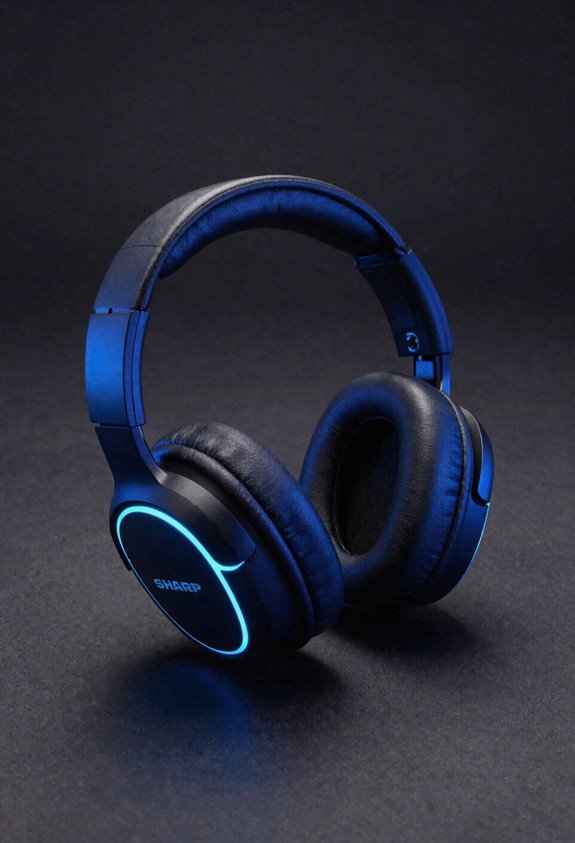
Now that you understand how head-tracking keeps virtual speakers locked in place, let’s talk about why spatial audio absolutely crushes traditional stereo and surround sound for competitive gaming. Here’s the deal: stereo gives you just two channels, while 5.1 or 7.1 surround stays flat and two-dimensional. Spatial audio? It adds height and depth with true 3D positioning. This matters because you’ll pinpoint enemy footsteps above, below, and all around you instantly. For competitive calibration, you’ll adjust performance settings to maximize directional accuracy over fancy immersion. Sure, there are latency tradeoffs to take into account, but the tactical edge you gain spotting threats in full 3D space? Absolutely worth it. You’re basically playing with superpowers!
Get Spatial Audio Running: A Quick Setup Guide
You’ve got the competitive edge in your hands—now let’s actually turn it on! First, I’ll grab your headset’s software—like SteelSeries GG—and find the Game channel settings. Here’s where the magic happens: toggle Spatial Audio on and watch those sliders appear! I recommend starting in Performance mode for sharp directional accuracy. Next, I’ll adjust mic placement to avoid feedback, then run latency testing to make certain smooth responsiveness. You want zero delay between action and sound. Tweak your Distance and Speaker Position settings by dragging them around—find what clicks for you. Don’t stress about perfection; you can always reset to defaults. Load up your favorite FPS, and boom—you’re ready to hear enemies coming from every angle!
Top Spatial Audio Gaming Headsets for Precision Positioning
Once you’ve got your spatial audio dialed in and running smooth, the real game-changer is picking the right headset to match your setup. I’d recommend the JBL Quantum 910—it’s packed with head-tracking that keeps sounds locked in place. The ALTO MH91 is another solid choice for multi-platform gaming. Here’s my pro tip: check each headset’s custom EQ options. You’ll want to tweak frequencies for your preferred sound signature. Don’t skip latency testing either—low delay matters big time for competitive play. Test your headset in-game before committing. I suggest starting with performance mode, then gradually adjusting immersion settings. Your positioning accuracy depends on finding that perfect headset match!
Pinpoint Enemy Footsteps in Real Time
The magic of spatial audio really shines when you’re tracking enemy movements across a map. I’m talking about hearing that dynamic footstep originating from above, below, or behind you—exactly where it’s happening!
Here’s what makes this incredible: spatial audio uses soundocclusion mapping to simulate how sound travels around obstacles. When an enemy runs behind a wall, you’ll actually hear their footsteps fade naturally, just like real life. That’s your competitive edge right there.
Your headset processes these audio cues in real-time, pinpointing the exact direction and distance. Let’s be honest—hearing an opponent approaching from twelve o’clock versus three o’clock changes everything in a firefight.
I recommend toggling Performance mode in your headset settings. You’ll get sharper directional accuracy, transforming footsteps into tactical intelligence. That’s winning audio!
Adjust Performance and Immersion Settings to Match Your Play Style
Now that you’ve locked in those footstep cues, it’s time to fine-tune your headset to match how you actually play. Here’s where audio personalization becomes your secret weapon! I recommend tweaking the Performance-Immersion slider in your headset software—think of it like adjusting your game sensitivity. Push toward Performance if you’re chasing competitive wins; you’ll get razor-sharp directional accuracy for spotting threats. Prefer total immersion? Slide the other way for that cinematic, wrapped-in-sound feeling. Don’t forget latency tuning, which reduces audio delay—crucial for fast-paced shooters where milliseconds matter. Customize distance and speaker position settings too. I’ve found resetting to defaults, then making small adjustments, prevents headaches. Test your sweet spot, then lock it in!
Troubleshoot Spatial Audio Issues on Your Headset
Even when you’ve dialed in your Performance-Immersion settings perfectly, spatial audio sometimes throws curveballs—but don’t worry, I’ve got you! Let’s tackle the most common headaches together. First, try microphone calibration—your headset uses this to lock in your head position. Head to your settings and recalibrate! Next, check your battery troubleshooting. Low battery can disable spatial features, so charge up and restart. Still struggling? Reset your headset completely and reinstall drivers. Make sure your game supports spatial audio too—not everything does! Check software updates; sometimes fixes hide there. If problems persist, test different headphones to pinpoint issues. You’re almost there!
Frequently Asked Questions
Does Spatial Audio Work With All Game Titles or Only Specific Games?
Spatial audio doesn’t work universally across all titles—it depends on developer support and game compatibility. I’d say most modern games support it, but you’ll get the best results with titles specifically optimized for spatial audio technology.
Can Spatial Audio Increase Latency or Cause Audio Delay During Competitive Play?
Like a tightrope walker balancing precision, I’d say spatial audio’s processing overhead can introduce minimal latency. However, quality implementations minimize delay, and psychoacoustic artifacts rarely impact competitive play’s timing-critical demands.
What’s the Difference Between Dolby Atmos and DTS Headphone:X for Gaming?
I’d say Dolby Atmos converts object metadata into binaural 360° output for hundreds of channels, while DTS Headphone:X processes multichannel streams. Their licensing differences and objectivity debates shape gaming adoption distinctly.
Do I Need Special Audio Hardware Besides Headphones for Spatial Audio to Work?
You don’t need special hardware—I’m telling you your PC or console handles it. Your headphones render the spatial audio; virtual drivers and external DACs are optional upgrades, not requirements.
How Does Spatial Audio Perform in Competitive Play Without High-End Gaming Equipment?
I’ve found spatial audio performs well in competitive play even without high-end gear—what matters most is your microphone calibration and stable network jitter. You’ll still gain directional advantages.