As an Amazon Associate, we earn from qualifying purchases. Some links may be affiliate links at no extra cost to you. Although our opinions are based on curated research, we haven't used these products. Articles generated with AI.

How Polling Rate Has Evolved From 125HZ to 8000HZ and What It Changes

Polling rate’s jumped from 125Hz to 8000Hz on mice and controllers, but here’s the plot twist—that biggest feel difference happened way back at 1000Hz! We’re talking 8ms delay dropping to 1ms, making your movements snappier on a high-poll mouse in competitive games like CS2. Beyond 1000Hz though? You hit diminishing returns fast. The jump to 8000Hz only saves 0.875ms more, which your brain basically can’t detect. The real magic comes from Hall Effect switches and Rapid Trigger tech that actually support these speeds without causing jitter. Want to know which polling rate actually fits your playstyle?
Key Takeaways
- Polling rate evolution from 125Hz to 1000Hz reduced report intervals from 8ms to 1ms, delivering noticeable responsiveness improvements in competitive gaming.
- The jump from 1000Hz to 8000Hz yields only 0.875ms improvement, producing diminishing returns imperceptible to most players during actual gameplay.
- Hall Effect switches and Rapid Trigger technology enable higher polling rates like 8000Hz by providing faster key detection and near-instant reset capabilities.
- Marketing claims about 8000Hz latency ignore other bottlenecks in key detection, circuit processing, USB transmission, and firmware timing affecting total latency.
- Most competitive players find 1000Hz sufficient for FPS titles; 8000Hz offers marginal gains only for serious ranked grinders willing to pay more.
The Polling Rate Leap That Mattered: 125Hz to 1000Hz
When you’re playing competitively, that jump from 125Hz to 1000Hz is where the real magic happens! I’m talking about reducing your report interval from 8 milliseconds down to just 1 millisecond. That’s a massive difference when you’re chasing millisecond precision in fast-paced games like CS2 or Valorant.
Here’s what I mean: at 125Hz, your keyboard tells your PC what you’re doing pretty slowly. You’ll notice input jitter—those weird little delays that throw off your aim. Jump to 1000Hz, and suddenly your keyboard’s talking to your computer eight times faster. Your movements feel snappier and more responsive immediately.
The best part? Driver optimization gets way better at these higher rates too. Your system processes inputs smoother, cleaner, faster. This leap genuinely changes how competitive gaming feels!
Why 8000Hz Feels Like Overkill (And the Math Behind It)
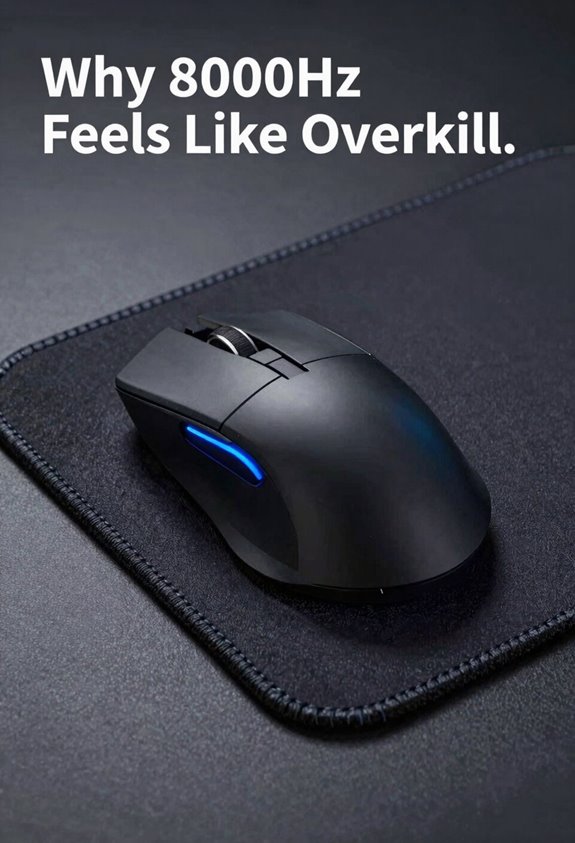
Now here’s where things get interesting—and maybe a little ridiculous. I’ll be honest—jumping from 1000Hz to 8000Hz sounds amazing on paper, right? But here’s the thing: we’ve hit perceptual thresholds where our brains can’t really detect the difference anymore. That’s diminishing returns in action! You’re gaining just 0.875 milliseconds of improvement. Meanwhile, your average human reaction time sits around 180-200 milliseconds. See the problem? Most competitive gamers report minimal advantage at 8000Hz versus 1000Hz during actual gameplay. Sure, enthusiasts swear they notice smoother flicks, but independent reviewers struggle finding measurable performance gaps. I’m telling you—8000Hz feels like overkill for nearly everyone. Save your money and stick with 1000Hz unless you’re chasing absolute perfection!
How Polling Rate Reduces Input Lag in Real Time
Imagine this: your finger hits a key, and your keyboard’s gotta tell your computer what happened—but here’s the catch, it can’t do that instantly! Your keyboard uses something called signal queuing, which basically means it lines up all your keypresses waiting to send them. At 125Hz, your keyboard only checks in every 8 milliseconds. That’s a long wait! But bump it to 1000Hz, and you’re checking every single millisecond. Your keyboard also uses debounce algorithms—fancy word for “bounce prevention”—to filter out accidental signals. Higher polling rates mean faster debouncing and quicker reporting. Let’s be honest: you’re shaving milliseconds off your input lag, and every tiny bit counts in competitive gaming!
Polling Rate Marketing Claims vs. Real-World Performance
Here’s where marketing gets a little sneaky with polling rates! Companies claim that 8000Hz equals lightning-fast 0.125ms latency, but that’s only part of the story. I’ve discovered through user experiments that total latency involves way more than just polling rate—think key detection, circuit processing, and USB transmission too.
Let’s break down these marketing myths: that magical number ignores real-world bottlenecks happening simultaneously. When I tested keyboards myself, the difference between 1000Hz and 8000Hz felt almost identical for most players. The math looks impressive on spec sheets, but independent reviewers consistently find minimal performance gaps in practical testing.
The real win? That jump from 125Hz to 1000Hz actually changes your gameplay. Everything beyond that? You’re chasing increasingly smaller improvements!
Hall Effect Switches and Rapid Trigger: Why 8000Hz Needs Them
Without Hall Effect switches and Rapid Trigger technology, that 8000Hz polling rate you’re paying extra for becomes like owning a sports car stuck in traffic—all that potential gets wasted! Here’s why: Hall Effect switches use magnetic sensors instead of physical contacts, letting them detect key positions incredibly fast. When you combine that with Rapid Trigger technology, your keyboard resets almost instantly after you press it. This matters because firmware timing coordinates everything perfectly. Without these components working together, your keyboard can’t actually send data eight thousand times per second meaningfully. You’d just get jitter and inconsistent readings. Think of it this way: 8000Hz polling needs lightning-fast hardware to back it up. Hall Effect switches and Rapid Trigger make that partnership work!
Will Your Competitive Game Benefit From Higher Polling Rates?
Let’s cut through the hype and figure out what actually matters for your specific game! Here’s the truth: if you’re playing competitive FPS titles like CS2 or Valorant, jumping from 1000Hz to 8000Hz won’t transform your gameplay overnight. Your brain experiences sensory adaptation—you’ll adjust to whatever polling rate you’re using pretty quickly. That said, tournament ergonomics matter! Professional players competing at the highest levels sometimes report marginal improvements in flick accuracy with 8000Hz. For fighting games requiring pixel-perfect inputs, the difference becomes slightly more noticeable. But honestly? Most competitive gamers dominate with 1000Hz. Unless you’re grinding ranked matches obsessively, you’re probably better off investing in solid tournament ergonomics and practice instead!
Polling Rate Settings by Gamer Type
Since you’re about to pick your next keyboard, matching your polling rate to how you actually play makes all the difference! Let me break down casual profiles first—if you’re playing story games or just browsing, stick with 1000Hz. You won’t notice anything faster, honestly. Now for pro preferences: competitive fighters and shooters? Those players swear by 1000Hz as the sweet spot. Some pros experiment with 8000Hz for ultra-precise flicks, but most say the gain’s barely noticeable. Here’s my take: start at 1000Hz and level up only if you’re grinding ranked matches seriously. Your wallet—and your wrist—will thank you!
The Real Cost of 8000Hz: DPI, Jitter, and System Strain
Before you chase that shiny 8000Hz keyboard, here’s what actually happens behind the scenes—and it’s not all smooth sailing! I’m talking about real trade-offs you’ll face.
First, that constant reporting demands serious power draw from your keyboard’s circuit board. You’ll need firmware optimization to handle eight thousand updates per second without overheating!
Here’s the kicker: maintaining 8000Hz requires bumping your DPI to 1600 or higher. Why? Lower DPI at extreme polling rates creates jitter—tiny, unwanted cursor wobbles that mess with precision.
Your USB controller also works overtime, potentially straining your system’s resources. I’ve seen gamers experience lag elsewhere because their PC’s getting hammered!
Should You Upgrade Your Polling Rate? A Budget Guide
Now’s the time to break down whether you actually need that shiny new keyboard with the fancy polling rate! Let me guide you through the upgrade tiers that actually matter for your wallet and gaming style.
If you’re playing casually, stick with 1000Hz—it hits the latency thresholds where most gamers feel smooth, responsive gameplay. You won’t notice the jump to 8000Hz, I promise!
Competitive FPS players? That’s where 1000Hz starts making sense. You’ll feel real improvements compared to older 125Hz keyboards.
Here’s my honest take: save your money unless you’re chasing professional-level performance. The 8000Hz leap delivers minimal gains for the extra cost. Invest in a solid 1000Hz keyboard instead, and you’re golden!
Frequently Asked Questions
How Does Polling Rate Interact With Monitor Refresh Rate and GPU Frame Rates?
I’ll explain how polling rate interacts with your monitor’s refresh rate and GPU frame rates. Higher polling rates reduce input lag between your keypress and screen display, but they’re only effective when paired with consistent frame pacing from your GPU matching your monitor’s refresh rate.
Can Older USB Ports or Motherboards Support 8000HZ Polling Rates Effectively?
I’ll tell you honestly: older USB ports and legacy chipsets struggle with 8000Hz. You’ll face USB bandwidth limitations and signal integrity issues. Firmware updates help minimally—you’re fighting hardware constraints.
What’s the Difference Between Hardware Polling Rate and Software-Level Input Processing?
Hardware polling rate’s your keyboard’s physical reporting frequency, while software-level input processing handles interrupt latency and driver buffering—I’d say the hardware reports data, but your system’s software decides when it actually processes it.
Does Polling Rate Affect Keyboard Responsiveness in Typing and Productivity Tasks?
I’d say polling rate doesn’t meaningfully impact your typing latency or productivity ergonomics. You won’t notice the difference between 125Hz and 1000Hz when typing—human reaction times far exceed these millisecond variations.
How Do Wireless Keyboards Handle 8000HZ Polling Compared to Wired Connections?
I’ve found wireless keyboards struggle with 8000Hz polling—think of it like trying to sprint on sand. They can’t match wired connections’ consistency due to wireless latency and firmware optimization limits, making them impractical for that speed.